Showing posts with label Mobile. Show all posts

Sunday, 7 June 2015

10 Must have Apps for Android Mobile

For smartphone users 10 must have apps list is created with their download count and also with rating. And you can directly download these from the download link.

Apps
Downlaods
Rating
Download Link
Google Chrome  
500 Million
4.2
App Share 
5 Million
4.3
Ex File Explorer
100 Million
4.5
True Dialer
5 Million
4.3
Clean Master
100 Million
4.7
MX player
100 Million
4.4
Instagram
500 Million
4.5
Twitter
100 Million
4.2
Watsapp
1000 Million
4.4
Contacts Backup
1 Million
4.3

Sunday, 19 April 2015

The Race has begun!!!!! JIO Vs Whatsapp

Whatsappp will be vanished from India and also in the most of Asian countries. Reliance has developed and released Reliance JIO Chat...    It offers voice calls, video calls, chats, and group chat. And more over it is a free app. Any one can download this android app from Playstore or from reliance website directly. They have released the app after their launch of 4G.

Below is the comparison between Messaging Apps.

Features
Watsapp
Wechat
JIO Chat
Video Calling
No
No
Yes
Voice Call
Yes
Yes
Yes
Chat
Yes
Yes
Yes
Group Chat
Yes
Yes
Yes
Voice Recording
Yes
Yes
Yes
Camera
Yes
No
Yes
Group Voice Call
No
No
Yes

Can the other apps be defeated by JIO???  Its up to you guys!!!!!!!!!!!

Do post your views and comments !!!

Saturday, 8 February 2014

How to find a lost mobile?

From Google itself you can find your lost mobile if it is in home or somewhere nearby to you in silent mode by ringing that phone from your computer.

Type how to find lost mobile in Google sear box. You will get a screen similar to the below.

If your email is already configured in that phone it will ask you to sign in in your computer. 
Once you have singed in you can see ring option under the image and it will also show you the location of your phone.Once you have singed in you can see ring option under the image and it will also show you the location of your phone.


By clicking the image further it will tke you to the Google Maps page and you will be able to Track the exact location , Ring, Lock and erase the content in the phone.

An Indian software engineer developed an Anti Thief Software Android application to find a lost mobile.

He named his own developed software as Cell Sniper. You can download and install this application from android market which is now called as Play Store in any android enabled device. We can even trace the mobile, if the SIM is thrown out or the mobile is in switched off state. The only thing is you have to write the Pass Code and App Police number.

The only thing is you have to send an SMS which includes the pass code which has been generated already to App Police Number. Then the phone automatically will lock itself.

When you send the second SMS the data and phone numbers whatever stored in that device will be destructed itself.

When the third SMS is sent, we will receive an automatic SMS and we can get a barge the incoming and outgoing calls to our alternate number.


When the fourth SMS is sent, we can get the information about the State, District, City and street. So we can easily find the thief or lost mobile and get back our device. 

There are more anti thief software's available in market, please post your comments to find the best app.

Friday, 16 August 2013

Comparison between WeChat , Line & WhatsApp

Before installing a free online messenger service, look into this chart and install.

Features
WeChat
Whats APP
Line
Live Chat
Yes
Yes
Yes
Video Call
Yes
No
No
Audio Call
Yes
No
Yes
Audio SMS
Yes
Yes
Yes
Emotions
Yes
Yes
Yes
Group Chat
Yes
Yes
Yes
Shake
Yes
No
Yes
Look Around
Yes
No
No

According to our reviews we recommend WeChat is the best one among the three.

Wednesday, 19 September 2012

How to convert a Web Page into PDF in Mobile?

In mobile phones, if its an android enabled device then you can definitely convert the web page you are viewing into Pdf. And hence you can read that in offline or share with someone.

If you are using Dolphin Browser in your phone you can enable a add on called WebtoPdf. Then resrtart your browser. After this you will be able to convert the pages to PDF files. In other way you can find lot of apps in Google Playstore (Google Market) which will do the process of converting files.

Or else you can install a dedicated software to perform the conversion which is available on the internet.

For any doubts you can post your question. Our team will answer for your questions shortly.

Wednesday, 1 February 2012

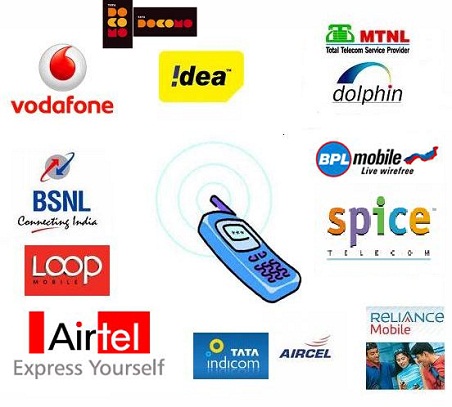
Mobile Number Portability - India

In India TRAI (Telecom Regulatory Authority of India) has announced mobile number portability. That is you can switch to any other network without changing your number. 

For example if you are using Tata Docomo 90044 90044 you can switch to Airtel without changing the number.

But this provision will not be available for state to state. 

To activate this , you need to type PORT <Your Mobile No> and sen that to 1900. Then you will receive a Unique Porting Code. Go to your nearest shop and submit your ID & Address proof and pay Rs.19. You will get a new Sim and it will be activated with in 7 hours.
Related Posts Plugin for WordPress, Blogger...